
I have had a few requests recently on how to give an image that cool vintage look in PhotoShop so here is how its done.

Now before I start I’d like to note that this is just one method of many. The look is totally subjective and as the photographer it is up to you to tweak the setting to your taste. I like this method for it’s simplicity and effectiveness, plus as its on a separate layer I can reduce, blend or mask it to taste.
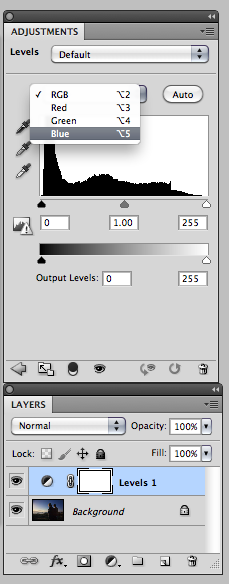
With an image open in Photoshop, for that vintage look, go to the Layers Menu and select “New Adjustment Layer” then select “Levels”. This will create a levels adjustment on a separate layer, as seen to the left.
Using adjustment layers is a good way to work in Photoshop as it allows you the flexibility to change your mind or tweak the adjustment further down your workflow.

From the Layers adjustment pallet the channel drop down menu from “RGB” to “Blue”(Feel free to experiment with other channels to create other looks and feels)
Now adjust the “Output levels” of the Blue channel by increasing the Blue shadows and decreasing the Blue highlights (increasing yellow), as shown to the left. The values I used are not fixed in stone, your image may require a slightly different adjustment so experiment until you are happy.
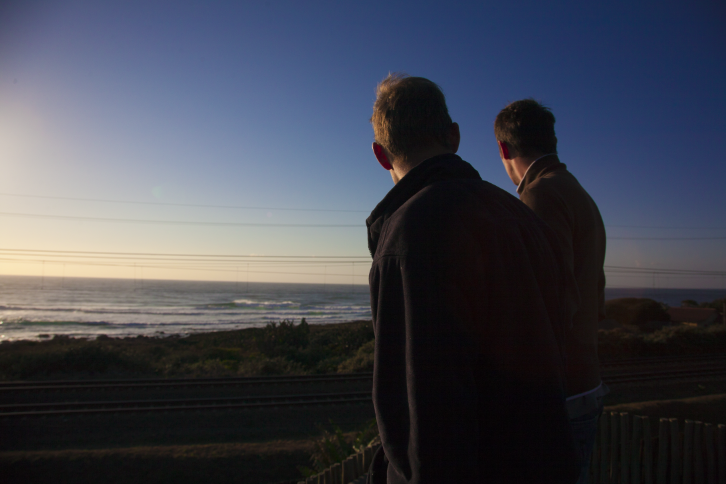 |
| Before |
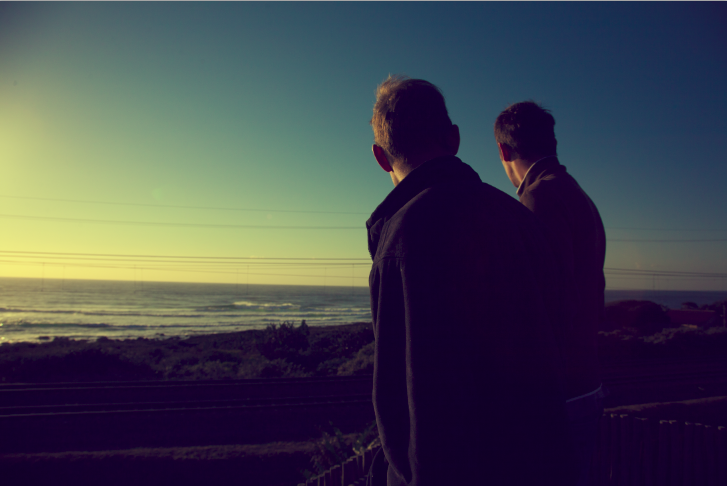 |
| After |